python-docx-ng
python-docx-ng is a Python library for creating and updating Microsoft Word (.docx)
files. It is a downstream superset of
python-docx — the distribution is
python-docx-ng, but the importable package is docx:
The two distributions cannot be installed side by side.
What it can do
from docx import Document
from docx.shared import Inches

document = Document()

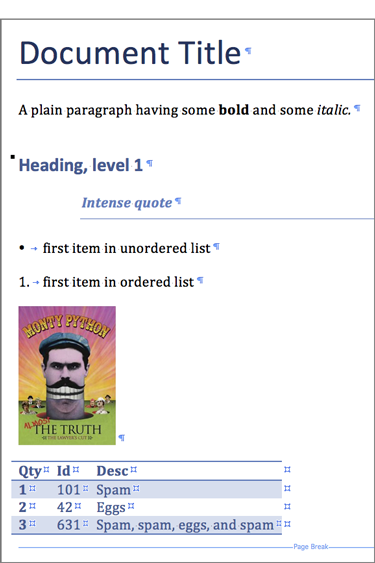
document.add_heading("Document Title", 0)

p = document.add_paragraph("A plain paragraph having some ")
p.add_run("bold").bold = True
p.add_run(" and some ")
p.add_run("italic.").italic = True

document.add_heading("Heading, level 1", level=1)
document.add_paragraph("Intense quote", style="Intense Quote")

document.add_paragraph("first item in unordered list", style="List Bullet")
document.add_paragraph("first item in ordered list", style="List Number")

document.add_picture("monty-truth.png", width=Inches(1.25))

records = (
    (3, "101", "Spam"),
    (7, "422", "Eggs"),
    (4, "631", "Spam, spam, eggs, and spam"),
)

table = document.add_table(rows=1, cols=3)
hdr_cells = table.rows[0].cells
hdr_cells[0].text = "Qty"
hdr_cells[1].text = "Id"
hdr_cells[2].text = "Desc"
for qty, id, desc in records:
    row_cells = table.add_row().cells
    row_cells[0].text = str(qty)
    row_cells[1].text = id
    row_cells[2].text = desc

document.add_page_break()

document.save("demo.docx")
Getting started
- Installation — install from PyPI with
piporuv. - Quickstart — open a document, add content, save it.
- API reference — every module, class and property.
- Migrating from 0.9 — what changed in 2.0.0.
For language models
The documentation is published in the
llms.txt format, with the full
text at
llms-full.txt. Point any
tool that reads llms.txt at those URLs — for example
mcpdoc, which serves them to an editor over
MCP.